Hip-hop beat
Karaoke trackMP3 · 0:40MP3
- Song
- -12.7 LUFS
- Karaoke
- -15.6 LUFS
- Drop
- 2.9 dB
The rap carried the energy, so the beat alone feels emptier than the 2.9 dB suggests.
THIS IS OUR MUSIC (Thruewiddit mix) · duckett · CC BY 3.0
This karaoke maker takes the singer out of a song you already have, free in your browser, when YouTube has no karaoke version.
Your vocal track and instrumental will appear here
No account, no daily cap · Karaoke track first, vocals included · MP3 · The song stays on your computer
A karaoke maker takes a finished song and removes the lead singer, so the band keeps playing and your voice fills the gap. This is an AI karaoke maker that runs in your browser: you get the karaoke track as an MP3, plus the original vocal as a second file for checking the words.
Search for a karaoke maker and half the results build lyric videos.
| Karaoke track maker (this page) | Karaoke video maker | |
|---|---|---|
| You start with | A song file you have, or its music video | A song plus its lyrics |
| You get | The music without the lead vocal, as audio | An MP4 with timed, scrolling lyrics |
| Lyrics on screen | No, read them on a phone or tablet | Yes, synced to the song |
| Best for | Singing at home, rehearsing, recording a cover | A party on the TV, sharing a sing-along |
Most people who open a karaoke maker need the backing track first, because the lyrics are already a search away. Want a lyric video anyway? Make the track here and put it together with the words in any video editor.
With the karaoke maker online and a song you own:
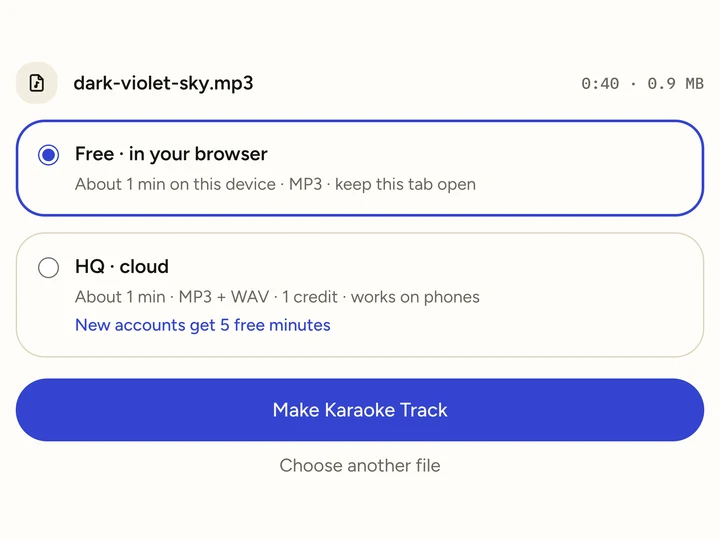
MP3, WAV, M4A, FLAC, or the music video if that is all you have. Free mode takes up to 10 minutes of audio.
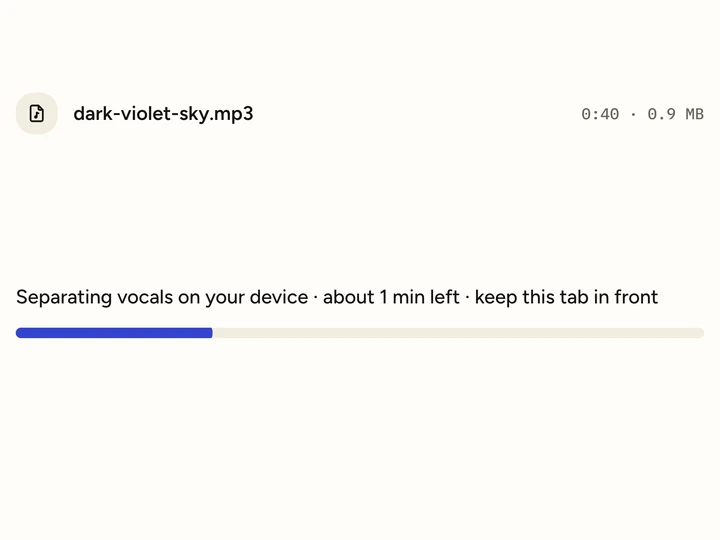
The karaoke maker removes the voice on your own computer; a 4-minute song takes about 40 seconds in Chrome.
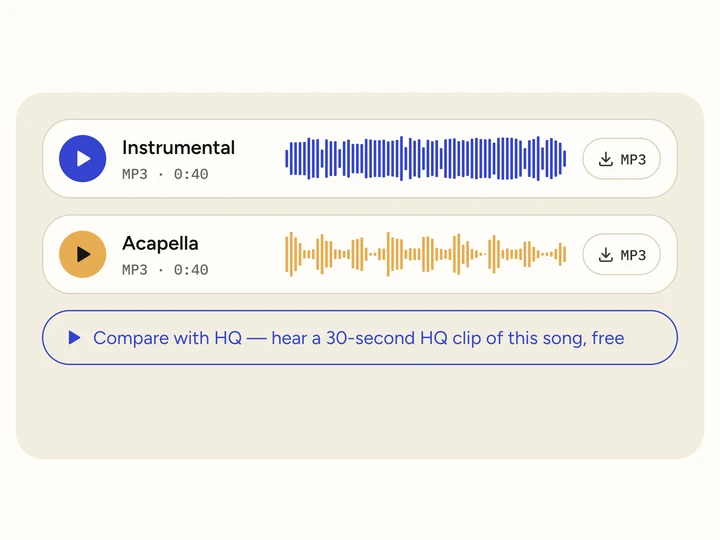
The karaoke maker puts the track at the top as an MP3. Keep the vocal file too if you want to check how a line goes.
In November 2026 we put three 40-second songs through the karaoke maker and measured loudness before and after, in LUFS, the scale streaming services use.
The rap carried the energy, so the beat alone feels emptier than the 2.9 dB suggests.
THIS IS OUR MUSIC (Thruewiddit mix) · duckett · CC BY 3.0
Voice and one guitar were the whole song. This karaoke track lost the most: 4.4 dB.
Heart On Redial · Loveshadow · CC BY 3.0
A full band covers the gap, so this karaoke track only dropped 1.7 dB.
Dark Violet Sky · Doxent Zsigmond · CC BY 2.5
The singer is usually the loudest part of a mix, so whatever a karaoke maker returns plays quieter than the song you know. Turn the speaker up by about that much before you start, rather than pushing the mic. For the full song we added the two result files back together; three songs, so read the numbers as a range.
The karaoke maker gives you the music; these three things make the evening work.
Phone speakers lose the bass that keeps you in time. Bluetooth adds a short delay, which only matters if you record yourself.
The karaoke maker does not add words. Open them on a phone or tablet in front of the singer, or print them for a party.
Each song is one run of the karaoke maker. Save the MP3s in one folder and play them from any music app.
The free karaoke maker is enough for a night at home: it runs on your computer, gives you an MP3 and has no song limit.
Use the HQ karaoke maker when you sing from a phone, record a cover, or need a song over 10 minutes. It adds WAV and leaves less of the singer behind; HQ minutes start at $4.99 for 80.
Want the band for practice rather than a party? The instrumental maker page measures how much voice is left between lines. To keep both tracks side by side, open the vocal remover on our home page.
Only have the song as a music video? The video vocal remover page lists the video formats we tested.
Harmonies and choir parts count as voice, so a chorus can sound bare. That is the karaoke vocal remover doing its job.
On loud, reverb-heavy choruses you may hear a soft echo of the original voice. In a room of friends nobody notices; for a recording, use the HQ karaoke maker.
A karaoke track is still the original recording. Platforms can match it, so publishing a video of it needs the rights holder’s permission.
Yes. Free mode needs no account, has no daily cap and adds no watermark, and you download the full karaoke track as an MP3. HQ cloud mode uses credits; new accounts get 5 free minutes.
No. It makes the backing track only. Read the words on a phone, or combine the track and the lyrics in a video editor if you want a sing-along video.
Yes, with HQ cloud mode in your phone’s browser; a typical song takes a minute or two. Free mode needs a desktop browser with WebGPU, such as Chrome, Edge or Safari.
No. The karaoke maker keeps the original key and tempo, so the track matches the record. If a song sits too high, a separate pitch tool can shift it afterwards.
Yes. Drop the MP4, MOV or WebM file. The karaoke maker reads the audio in your browser and returns the karaoke track as audio, not as a video.