Video Vocal Remover: Drop a Clip, Get Two Tracks
Remove vocals from video without converting it: the video vocal remover reads the soundtrack in your browser, and the clip stays on your computer.
Your vocal track and instrumental will appear here
MP4, MOV, WebM · No account, no daily cap · Instrumental and vocals as MP3 · The video stays on your computer
A video vocal remover pulls the soundtrack out of a video file and splits it into two audio tracks: the music without the singing, and the voice on its own. You get audio back, not a new video, so you can sing over the instrumental or lay it under your footage in any editor.
How to Remove Vocals from a Video
Three steps with the video vocal remover and a clip you own:
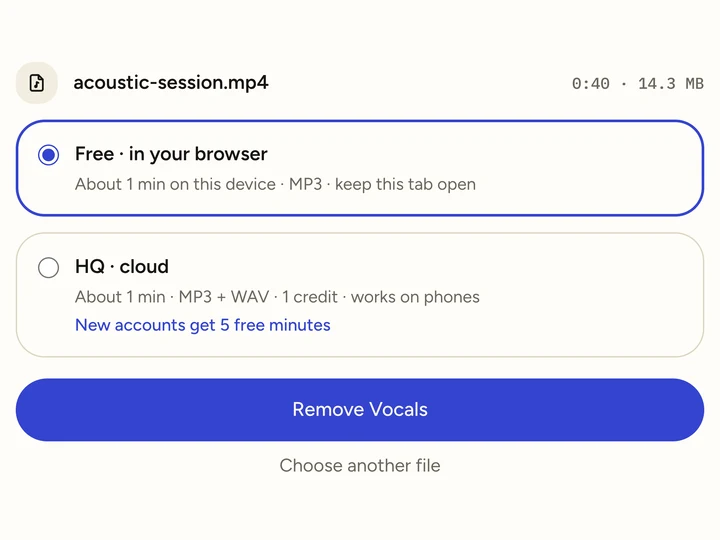 Step 01
Drop the video.
MP4, MOV or WebM, up to 500 MB. Free mode takes up to 10 minutes of sound; HQ takes 30.
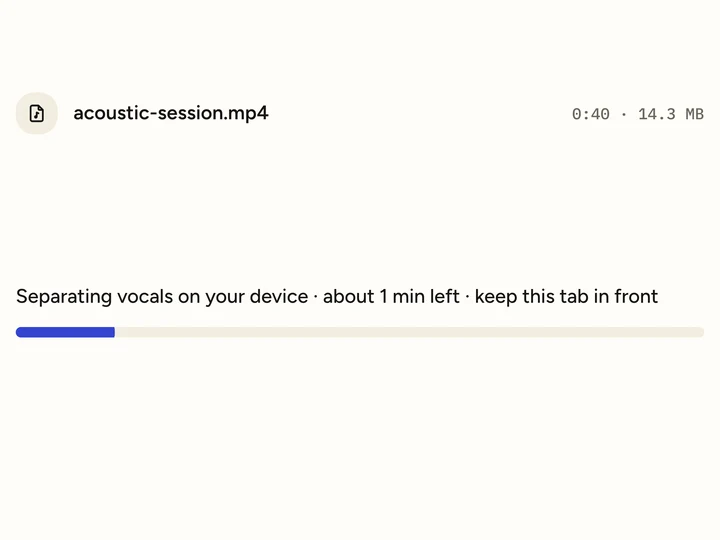 Step 02
Let it split the sound.
The video vocal remover first reads the soundtrack, then separates the voice on your computer. Keep the tab in front while it works.
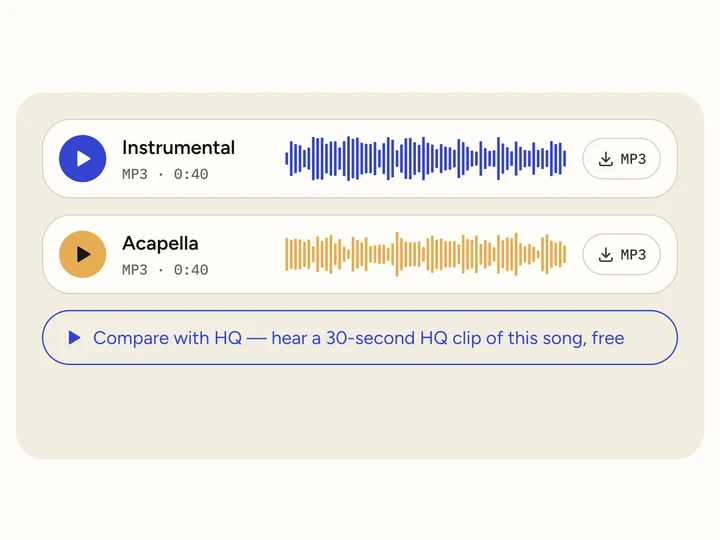 Step 03
Download the two tracks.
The video vocal remover lists the instrumental first and the vocals second, each as an MP3 you can play on the page.
Video Formats We Tested with the Video Vocal Remover
In November 2026 we wrapped the same 40-second song in four video formats and ran each through the free video vocal remover in a Chromium browser on an Apple M1 Max.
| Format | Inside the file | Result | Total time |
|---|---|---|---|
| MP4 | H.264 video, AAC audio | Both tracks, 0:40 | 9.8 seconds |
| MOV | H.264 video, AAC audio | Both tracks, 0:40 | 9.2 seconds |
| WebM | VP9 video, Opus audio | Both tracks, 0:40 | 10.6 seconds |
| MKV | H.264 video, AAC audio | Both tracks, 0:40 | 8.8 seconds |
Reading the sound out of a video is the quick part for the video vocal remover. A 4-minute, 1080p MP4 of 246 MB took about 1.4 seconds to read and 44 seconds in total. Its instrumental came back 240.04 seconds long for a 240.00-second soundtrack, with no offset we could measure, so it starts on the first frame.
Put the Instrumental Back Under Your Video
The video vocal remover returns audio. To get a video without the singing, swap the sound in any editor.
- 1
Import both files.
Add the original clip and the instrumental MP3 to CapCut, iMovie, Premiere or any editor you use.
- 2
Mute the original sound.
Detach or mute the clip’s own audio track, so the singing does not play underneath.
- 3
Start the instrumental at 0:00.
It has the same length as the clip’s soundtrack, so it stays in sync to the end. Export as usual.
Comfortable with a terminal? One ffmpeg command swaps the sound once the video vocal remover is done:
ffmpeg -i clip.mp4 -i instrumental.mp3 -map 0:v -map 1:a -c:v copy -c:a aac -shortest clip-instrumental.mp4Free Video Vocal Remover or HQ: Which to Use
The free video vocal remover suits clips on a desktop: the video stays on your computer and both tracks come back as MP3.
Pick HQ on a phone, for clips with more than 10 minutes of sound, or when the instrumental goes into something people will watch. It adds WAV and cleaner gaps between lines; HQ minutes start at $4.99 for 80.
Turning a music video into something to sing over? The karaoke maker page covers lyrics and volume. For a plain song file, the vocal remover on our home page works the same way, and the instrumental maker shows how much voice is left in the band.
Good to Know Before You Start
Speech counts as voice.
The video vocal remover treats talking, narration and crowd shouts as voice, so a vlog comes back as music only.
HQ uploads the sound, not the video.
In HQ mode the video vocal remover extracts the audio in your browser and sends it with a few still frames for our content check. The video file stays with you.
Rights stay with the original.
Removing vocals from a video does not change who owns the music. Posting the result publicly needs the rights holder’s permission.
Video Vocal Remover FAQ
Is the video vocal remover free?
Yes. Free mode has no account, no daily cap and no watermark, and you download both tracks as MP3. HQ cloud mode uses credits; new accounts get 5 free minutes.
Does the video vocal remover give me a video back?
No, it returns the instrumental and the vocals as audio. Put the instrumental back under your clip in an editor, or with the ffmpeg command above.
Can I remove vocals from MP4 files on my phone?
Yes, with HQ cloud mode in your phone’s browser. The video vocal remover reads the soundtrack on the phone, uploads only the audio and a few frames, and the two tracks are ready in a minute or two.
Can I remove lyrics from video clips?
Yes: removing lyrics means removing the singing. Drop the clip into the video vocal remover and keep the instrumental; the words leave with the voice.
How big a video can I use?
Up to 500 MB. As a vocal remover from video, it only separates the sound, so free mode handles up to 10 minutes of it and HQ up to 30, whatever the picture quality.