Vocal Isolator: Clean Vocals Where Phase Tricks Fail
Center-channel tricks keep the bass and kick; this AI vocal isolator separates the voice itself, free in your browser.
Your vocal track and instrumental will appear here
Free, unlimited songs · Vocals + instrumental as MP3 · Audio or video files · Nothing uploads in free mode
A vocal isolator pulls the singing voice out of a mixed song and leaves two files: the vocal and the music without it. Older ways of vocal isolation guess where the voice sits between the speakers. This AI vocal isolator listens for the voice itself, so you can isolate vocals from song files mixed any way.
Three Ways to Isolate Vocals, Measured
We ran one 30-second pop excerpt through each method of vocal isolation in November 2026, then measured how much music was left in the gaps between sung lines.
| Method | What you need | Music left between lines |
|---|---|---|
| Phase inversion | The official instrumental, sample-exact | Almost none, if you have it (rare) |
| Center-channel filter, the idea behind Audacity’s Vocal Reduction and Isolation | Any stereo file | About 2 dB below the song (5 dB with a voice-band EQ) |
| Free AI vocal isolator (this page) | Any song, in your browser | About 15 dB below the song |
| HQ AI vocal isolator | Any song, any device | About 28 dB below the song |
Why the center trick did so little: in this mix the left and right channels were nearly identical (their difference sat 23.5 dB below the song), so bass, kick and pads shared the middle with the voice. On a mix with guitars panned wide it does better, but it still keeps the bass and kick.
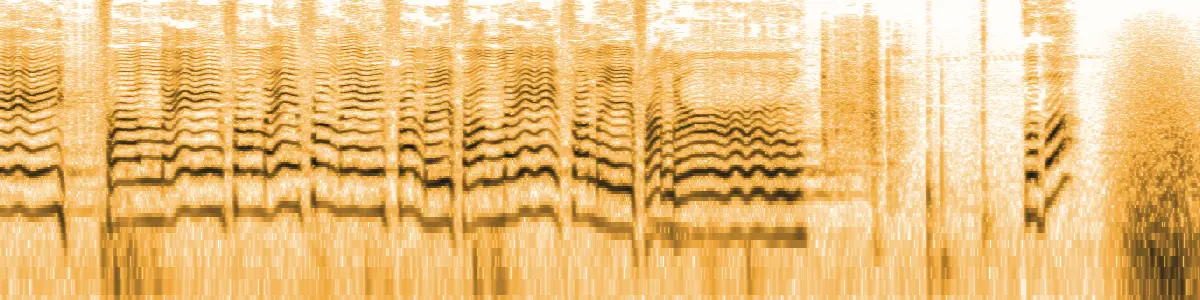


How to Isolate Vocals from a Song
With the vocal isolator it takes three steps and about a minute:
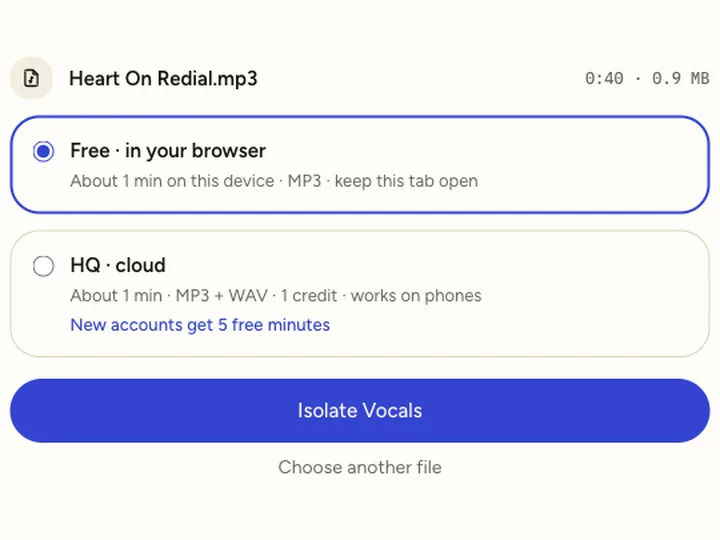 Step 01
Add the song.
Drop an MP3, WAV, M4A or FLAC, or a video file. Free mode handles up to 10 minutes.
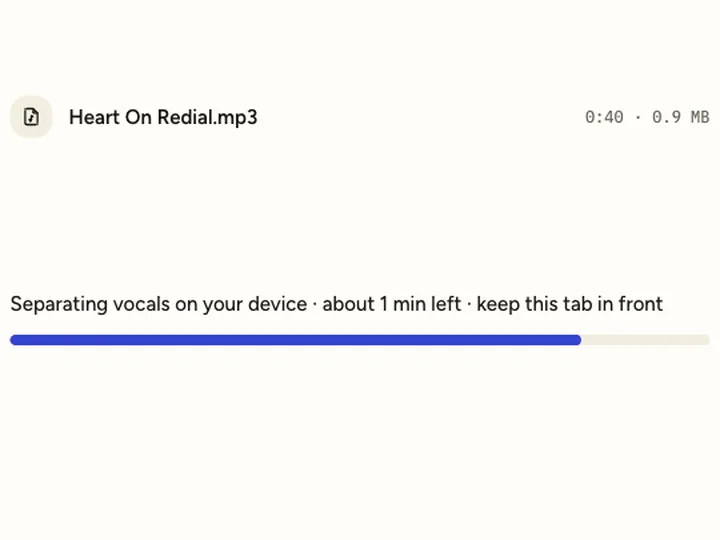 Step 02
Isolate vocals.
The AI vocal isolator runs on your computer. A 4-minute song takes 38–44 seconds in Chrome and about a minute in Safari.
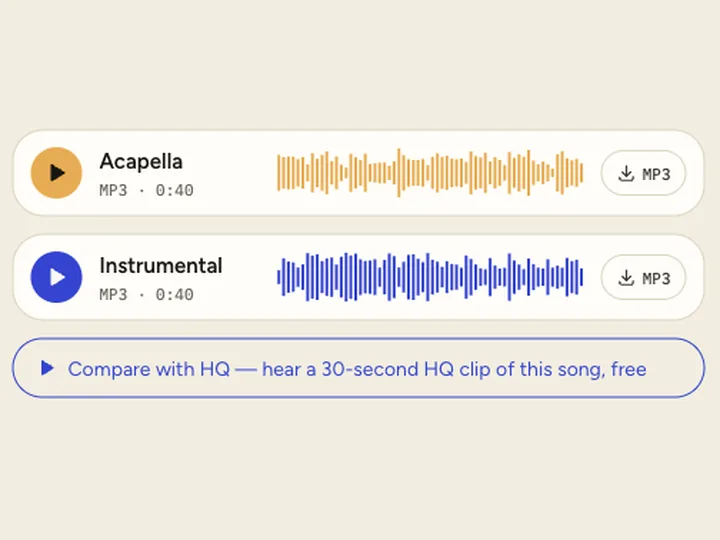 Step 03
Check and download.
Play the vocal, listen to the gaps between lines, then download the MP3. The instrumental is there too.
Vocal Isolator or Voice Isolator?
The two names get mixed up in search results, but they solve different problems.
Vocal isolator: songs
For singing over music. It separates a voice from drums, bass and instruments, and keeps the reverb that belongs to the voice. Use it to isolate voice from music for remixes, covers or learning a part.
Voice isolator: speech
For talking over noise, such as a podcast in a café or a video with wind. Those tools clean up speech. A vocal isolator works on speech too, but a speech tool usually sounds more natural.
Use the free vocal isolator for most songs. Choose HQ for heavy reverb, dense rock mixes or a phone, where cleaner gaps matter; HQ minutes start at $4.99.
Building a remix? The acapella extractor page covers that workflow. For covers and karaoke, the instrumental maker keeps the band instead, and the vocal remover shows both tracks at once.
What Any Vocal Isolator Keeps Together
Harmonies stay with the lead.
Doubles, backing vocals and choirs are voices too, so they come out in the same file.
Reverb goes with the voice.
The echo after a line belongs to the singer, so the vocal keeps it and the instrumental loses it.
Crowds count as vocals.
On a live recording, an audience singing along lands in the vocal track with the singer.
Vocal Isolator FAQ
Is this vocal isolator free?
Yes. Free mode has no account, no daily cap and no watermark; you download the full vocal as an MP3. HQ mode uses credits.
How do I isolate vocals in Audacity?
Use the Vocal Reduction and Isolation effect with Isolate Center. It works only when the voice is in the middle and the band is spread wide, and it keeps the bass and kick. On our test song it took out about 2 dB of music; the AI vocal isolator took out about 15 dB.
Can I isolate vocals from a video?
Yes. Drop an MP4 or MOV; the vocal isolator reads its audio and gives you the vocal and the instrumental as audio files.
Can a vocal isolator separate two singers?
No. Two voices singing together come out in one vocal track.
Does vocal isolation work on a phone?
Yes, in HQ cloud mode, which runs in a phone browser. New accounts get 5 free HQ minutes.
Related pages
- Acapella ExtractorPull the vocals out of any song as an MP3, free.
- Instrumental MakerTake the vocals out of a song and keep the music, free.
- Karaoke MakerTurn a song you have into a karaoke track, free in your browser.
- Video Vocal RemoverRemove vocals from an MP4, MOV or WebM video, with tested formats.